Available in the Microsoft Store.

A one-time purchase PDF viewer for WindowsTetsuwan PDF

Tetsuwan PDF is a PDF viewer you buy once. There is no monthly or yearly fee. It focuses on reading, and it also handles tasks often needed at work, such as comparing two PDFs, searching text in scanned documents, organizing pages and redaction.
Price
US$22.99One-time purchase (US price, before tax)
Free trial
Free30 days
After purchase
No limitsOn saving and exporting images
Requirements
Windows 11x64

Typical uses

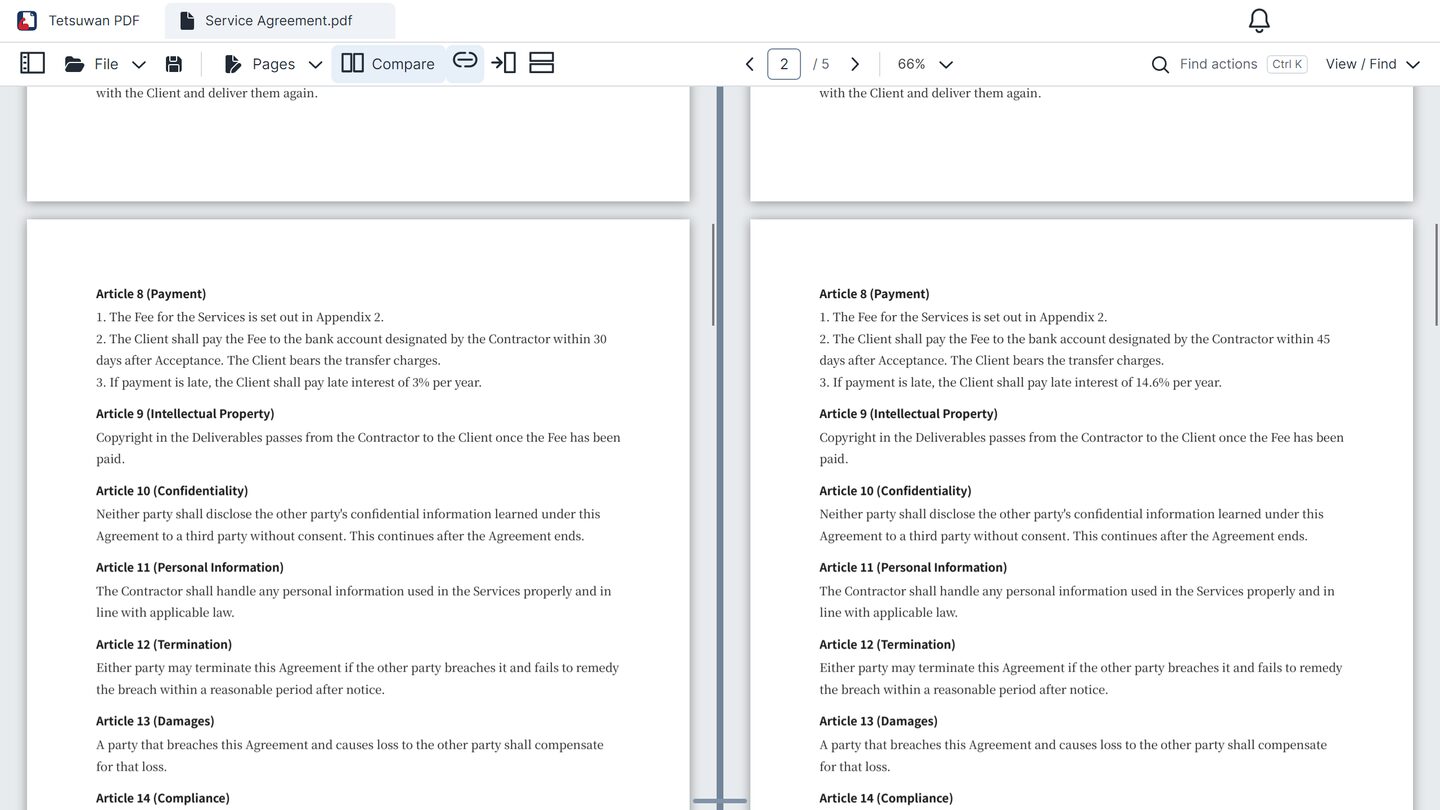
Two contracts shown side by side

Check an old and a new contract side by side

Place two PDFs side by side and scroll them together as you read. You spot the differences by eye.
Features used
Side-by-side comparison
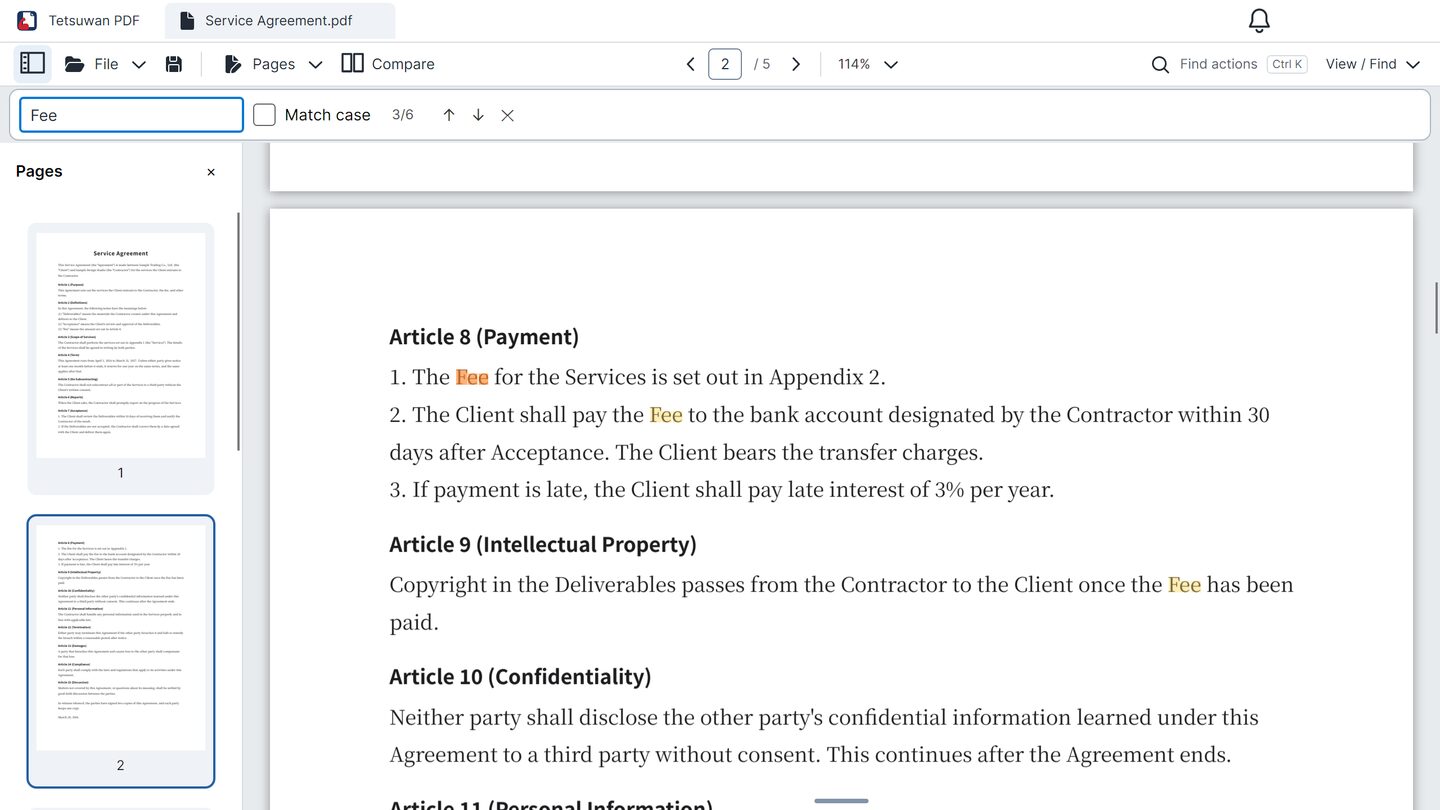
A contract with each match for “Fee” highlighted

Find words in a long document

Search every page and step through each match. Scanned PDFs can be searched too, once their text is recognized on your PC.
Features used
Search and copyOCR (text recognition)
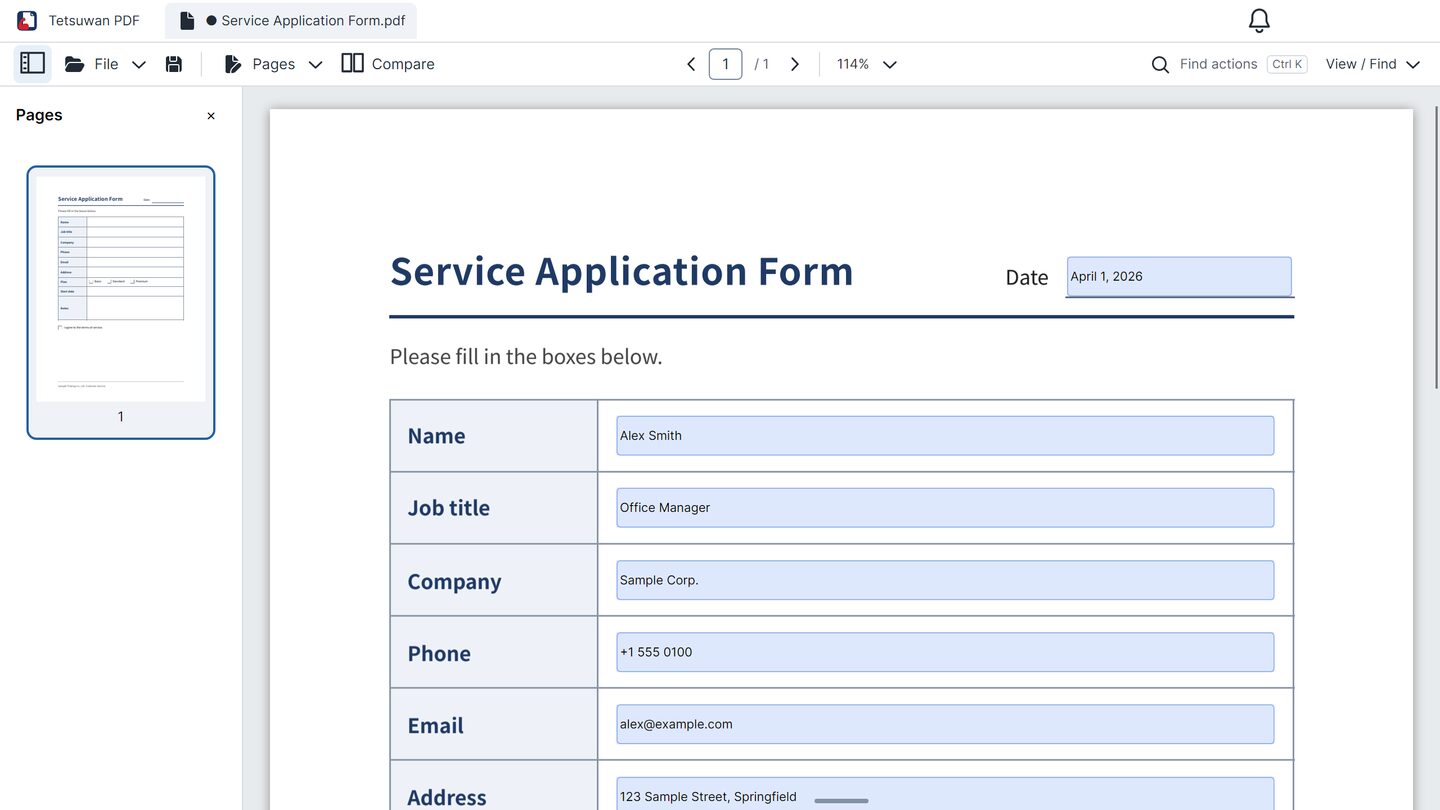
An application form with a name, job title and phone number filled in

Fill in an application form

Type straight into the fields that are already in the PDF. You can also place a handwritten signature as an image.

Features used
Filling in formsMarkup

Features

Viewing

Side-by-side comparison

  • Show two places in one PDF, or two PDFs, side by side
  • Arrange the panes left and right, or top and bottom
  • Link scrolling between the panes

OCR (text recognition)

  • Recognize the text in scanned PDFs
  • Search, copy and save the recognized text
  • Add language data for 4 more languages (Japanese and English are included)
  • Recognition runs on your PC; documents are not sent over the internet

Depending on the condition of the original, text may be misread or missed.

Viewing

  • Scroll continuously or view one page at a time
  • Fit to width, zoom in and out
  • Jump from page thumbnails, the table of contents or links
  • Open several PDFs in tabs
  • Switch between light and dark themes

Search and copy

  • Search the text of every page
  • Copy selected text
  • Find any command by name

Editing and saving

Redaction and passwords

  • Redact parts you do not want to show
  • Set or remove a password to open the PDF

Redacted pages are replaced with images, so their text can no longer be searched or copied.

Markup

  • Add highlights, underlines, freehand drawing, shapes and text
  • Place a handwritten signature as an image
  • Cover text with correction tape or fluid (the text underneath stays in the PDF)

Filling in forms

  • Type into the fields a PDF already has
  • Use checkboxes, radio buttons and lists

Organizing pages

  • Reorder, rotate, duplicate, delete and extract pages
  • Combine and split PDFs

Saving, exporting and printing

  • Export pages as images (PNG, JPEG, TIFF)
  • Print with the paper orientation matched to each page
  • Restore your edits after the app closes unexpectedly

Limitations

You can use the free trial to see whether the app handles the work you need.

  • Changing the existing text of a PDFYou can add text on top as markup.
  • Converting to Word, Excel or other formatsYou can export pages as images.
  • Editing markup after savingBefore saving, you can move or delete it.
  • Certificate-based digital signaturesYou can place a handwritten signature as an image.
  • Finding differences between two PDFs automaticallyYou compare them by eye in two panes.
  • Creating new form fieldsYou can fill in the fields a PDF already has.
  • Adding or editing the table of contents (bookmarks)When you combine PDFs, the tables of contents of the added PDFs are not carried over.
  • AI summaries or translationYou can copy text and use it in other apps.
  • Using it on a Mac, a phone or in a web browserIt runs on Windows 11 (x64) PCs.

Free trial

You can get it free from the Microsoft Store. The trial lasts 30 days. After that, the app does not start until you buy it.

FeatureTrialAfter purchase
Viewing, search, side-by-side viewing and text recognition (OCR) Same as after purchase No limit
Markup, form filling and page organizing (on screen) Same as after purchase No limit
Saving edits as a PDF (including extracting, splitting and combining) Up to 5 files in total, with a watermark No limit
Exporting pages as images Up to 3 pages, with a watermark No limit
Printing With a watermark No limit

Saving the same file many times counts as one file. After you buy, saved PDFs, exported images and printouts have no watermark. A watermark that is already in a PDF cannot be removed.

Price and how to buy

Tetsuwan PDF

US$22.99

US price, before any applicable sales tax. It is also sold in Canada, Australia, New Zealand, Taiwan, Hong Kong, Singapore and South Korea, where the Microsoft Store shows the price in your local currency.

  • A one-time purchase. There are no monthly or yearly fees.
  • Use it on Windows PCs signed in with the same Microsoft account (the number of PCs and other conditions follow Microsoft's usage rules).

Tetsuwan PDF in the Microsoft Store

Terms of sale and refunds are described in the legal notice.

System requirements

OS
Windows 11 versions supported by Microsoft (x64)
Display languages
English, Japanese, Chinese (Simplified and Traditional), German, French and Spanish
Extra installs
None. The .NET 10 runtime that the app needs is included.
Internet
Used to get, buy and update the app in the Microsoft Store and to add OCR language data.

Frequently asked questions

Can I get a refund?

As a digital product, it is not refundable under a policy of our own. Whether a Microsoft Store purchase can be refunded follows Microsoft's terms of sale and applicable law. Please use the 30-day trial to check how the app works and how saved files look before buying. If a defect stops the app from working properly, please use the contact form. See the legal notice for details.

Will it stop working if I cannot connect to the internet?

No. However long you stay offline, the purchased app does not expire and keeps working. It returns to trial mode only if the Microsoft Store reports the purchase as no longer valid, for example after a refund.

Will it stop working when sales or support end?

No, you can keep using it. If we stop selling it, we will stop only new sales, and existing customers will still be able to reinstall it from the Microsoft Store.

Can I add markup to a digitally signed PDF?

Yes. However, if you add markup and save, the signature may become invalid. In that case, the app asks you before saving.

Can I use it with other PDF apps?

Yes. You can open, edit and save PDFs made with other apps, and PDFs saved with Tetsuwan PDF open in other PDF apps. Some damaged PDFs can only be viewed.

When you save, markup becomes part of the page, so it looks the same in any app. Form fields stay as form fields. Restricted PDFs where the author allows only annotations are an exception: to keep the restrictions, markup is added as PDF annotations.

Contact

We accept questions and problem reports through the contact form on the Peperon Works website, in English or Japanese.

Open the contact form